
 Nicole Dolezalova
 Every Windy webcam turns a single point on the map into a live window on the actual weather. Now managing those windows is easier than ever because of the new Webcams admin microsite.
This environment is built for webcam providers and owners.
Webcams microsite: Maintain all your webcams
All your cameras, one dashboard
Open the Webcams microsite to see every camera tied to your account at a glance. Check which cameras are live, spot any that have dropped offline, and jump straight into the ones you want to manage. It is your home base for everything below: adding cameras, editing details, and promoting your site.
Find your cameras at webcams-admin.windy.com.
Add your webcam
Put your view on the map
Adding a camera takes minutes. From the microsite, start a new webcam, drop it on the exact spot it looks out from, and connect your image feed. Once it goes live, your view joins the Windy map alongside the forecast, so millions of Windy users planning their day can see the sky you are watching.

How to add your webcam
Edit or suggest edits to other webcams
Keep every detail accurate
Keep your cameras current straight from the microsite: update the image URL, refine the location, and fix the details that keep your feed sharp.
Suggest edits
Spotted a camera that is not yours with the wrong location or an outdated feed? Suggest an edit. Changes to cameras you do not own, and to your own, go to our content team for approval before they go live, so the map stays accurate for everyone.
Put your spot on the map
Your view, working for your business
Own a cottage, ski resort, kitesurf camp, or marina? Share your webcam feed and get free advertising in return: viewers who open your camera can click straight through to your website to book, check conditions, or plan a visit. No ad budget needed. You bring the view, Windy brings the audience.
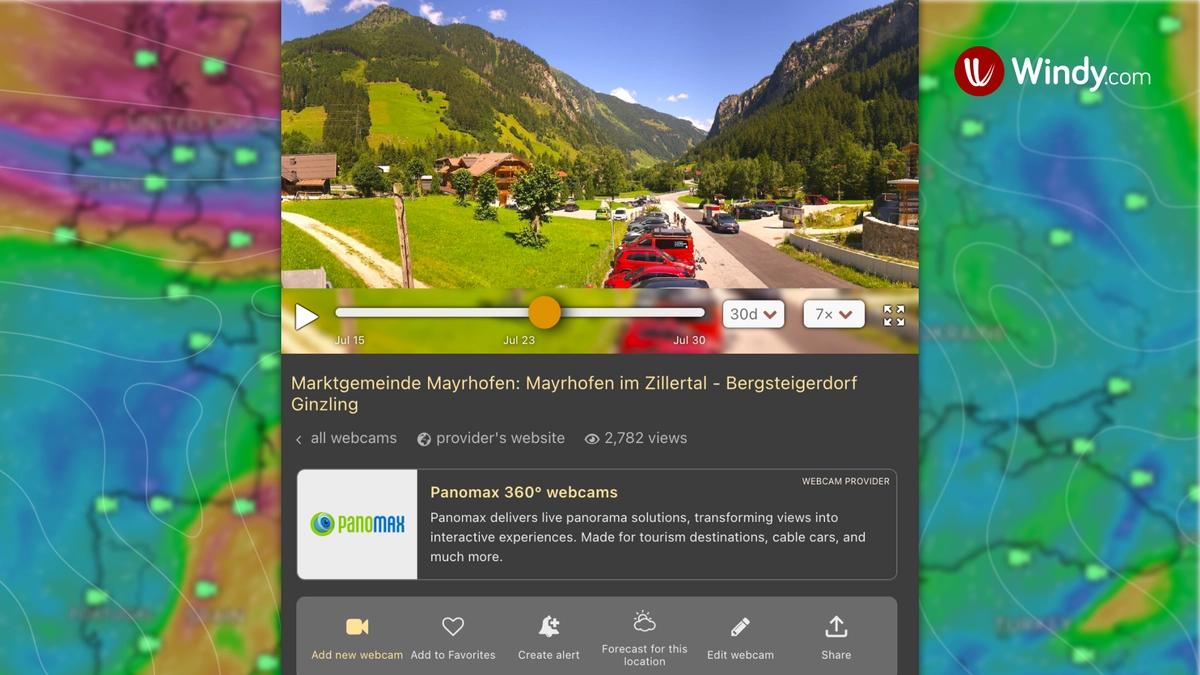
Miss your spot on Windy? Add it.
No camera yet? Join the Windy community and put your surf school, camp, or cottage on the map. A live view is how you give your spot an echo: proof it is worth the trip, seen by people already planning to go.
Account-wide or per camera
Set one link across your whole account, or on an individual camera. A per-camera link takes precedence over the account-wide one.
See it live in the webcam detail.
Windy Premium unlocks the full webcam archive
From the last 10 minutes to the whole story of your spot
Windy Premium users can now look back through an exclusive webcam archive. See how conditions changed, compare the sky over time, and catch the moment the weather turned.
How far back you can go
- Today: in 10-minute steps, almost real time.
- Last month: hour by hour.
- Last year: day by day.
- Lifetime: week by week.
Have a view worth sharing, or ideas for what webcams should do next? Add your camera, tell us what you think in the comments.
For technical or Premium issues, visit community.windy.com or contact us directly at support@windy.com.
Thanks for being part of the Windy community. ⛅
Comments (56)